Encrypt data fields in custom forms
In TrainerCentral, you can encrypt custom form fields to add an extra layer of security against potential data leaks or unauthorized access. This ensures that learners' sensitive information, such as their first name, last name, email address, phone number, and more, is well protected and accessible only to trainers.

Available on all paid plans (Starter and Professional).
 Only super admins and admins can encrypt and decrypt.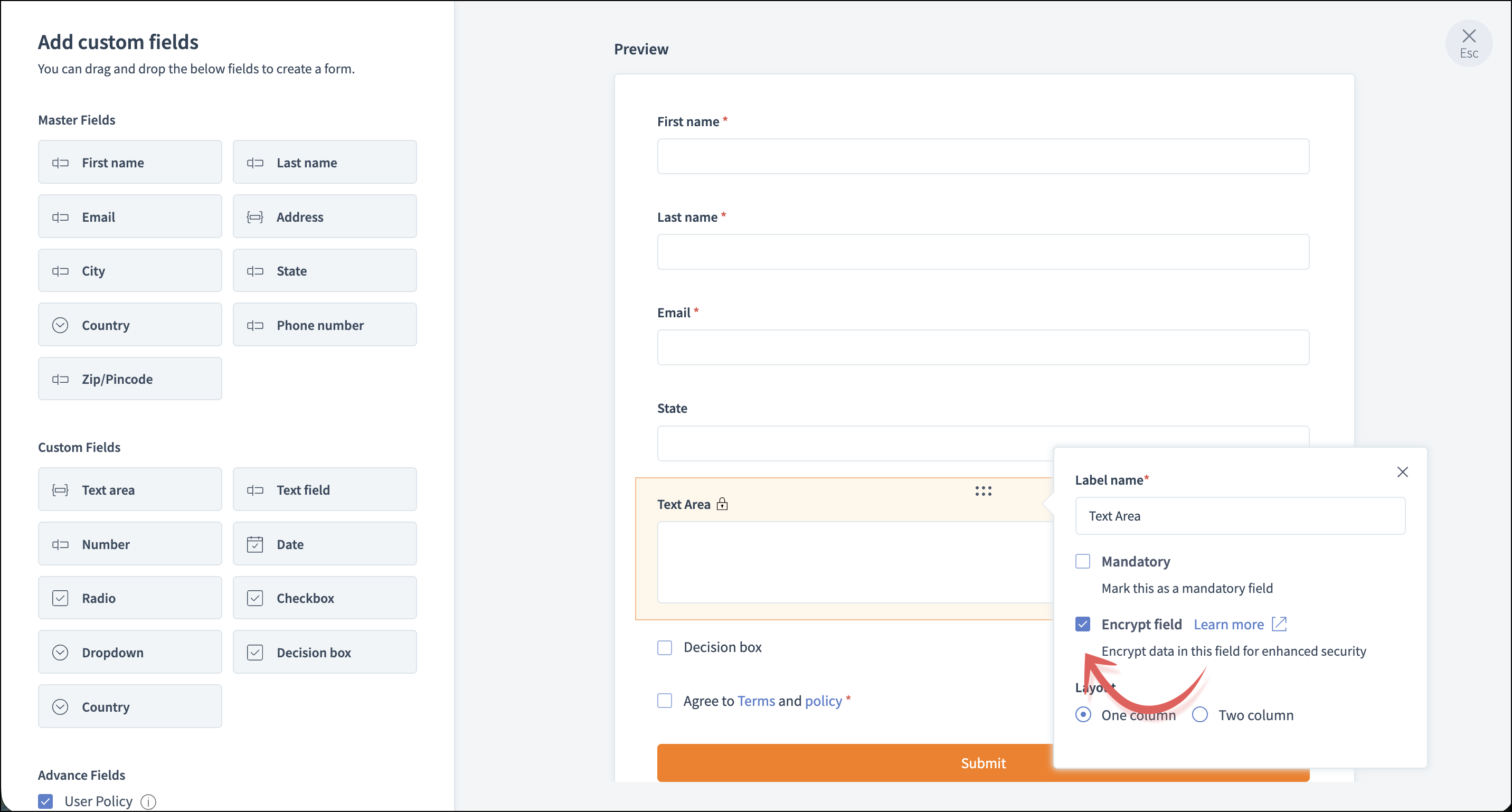
What types of fields can be encrypted in custom forms?
Field types that can be encrypted:
Master fields: First Name, Last Name, Email, Address, City, State, Country, Phone Number, and Zip/Pincode
Basic Fields: Text area, Text field, Number, Date,Radio, Check box, Dropdown, Decision box, and Country
Advanced Fields: User policy
Let's view the steps involved in encrypting the form fields.
To access the form editor:
Basic Fields: Text area, Text field, Number, Date,Radio, Check box, Dropdown, Decision box, and Country
Advanced Fields: User policy
Let's view the steps involved in encrypting the form fields.
To access the form editor:
Navigate to the Forms tab in the left pane. You can enable encryption for fields in new and existing forms. Learn how to add, edit, and customize forms and fields.
How to encrypt your form field
In the form Builder, click the edit icon of the field.
In the edit field window, enable the Encrypt field option. The field will be encrypted.
This way, whenever learners enter their details, they will be encrypted and stored in the database.
- Master fields can only be encrypted in the master form builder.
- Whenever you encrypt, existing values and any new values entered in this field will be encrypted.
- You can view the original data in entries and export reports, but searching or filtering requires typing the full text or number exactly as entered.
- You can encrypt only a max of five fields per form.
How to decrypt your form field
In the Edit Field window, disable the Encrypt field option. The field will be decrypted.