Introducing the built-in screen recorder in TrainerCentral.
At TrainerCentral, we always strive to provide trainers with a smooth user experience. However, sometimes you may require assistance from our support team to proceed further. To address this, we’ve launched our own built-in Screen Recorder that allows you to capture your screen. To top it off, you can also report the issue to our support team with just a single click.
 We also support webcam-only recording and webcam with screen recording to notify the support team about the issue.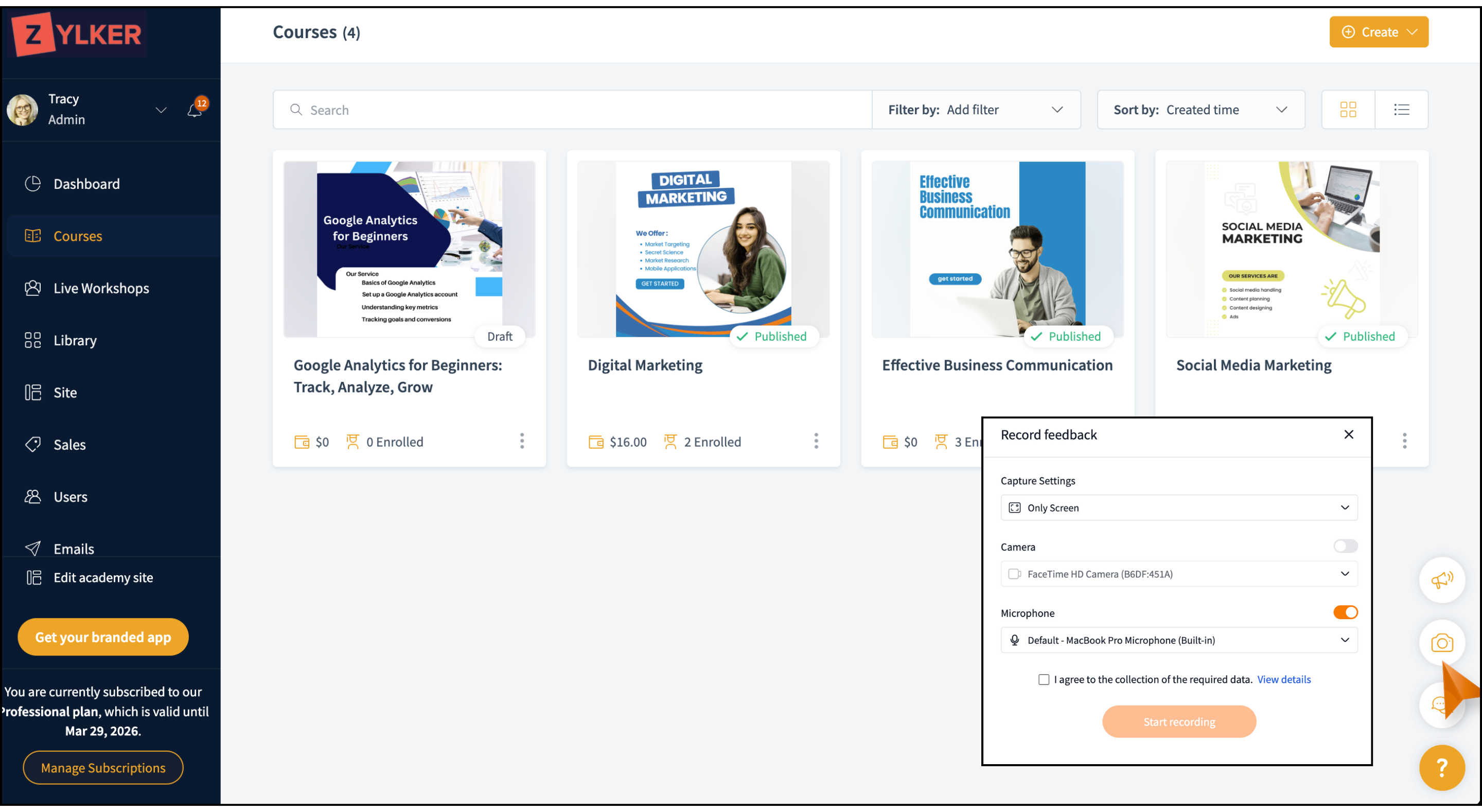
Once you record your screen and report the issue to TrainerCentral support team, they’ll review the issue using the screen recording. If additional details are needed, they’ll debug the logs for clarity. Once resolved, they’ll provide the solution via email.
How do you add more information to a recording?
Here are the additional options available in the screen recorder.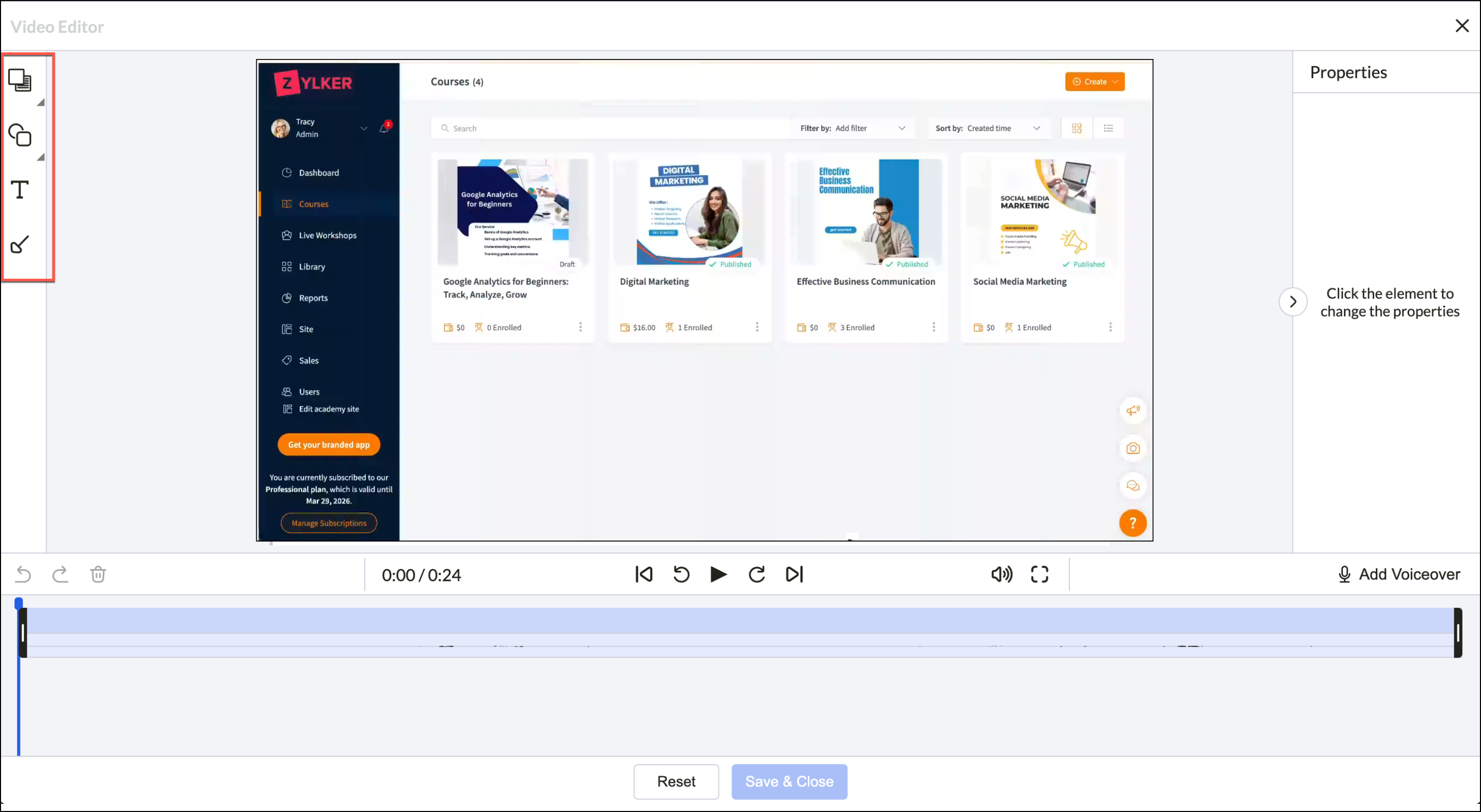
Masking tool
Blur or block sensitive data, such as your personal information or payment details.
Highlighting tool
Emphasize required parts so that the support team doesn’t overlook important details.
Text tool
Add textual information directly into the video.
Arrow tool
Insert arrows or pointers into the video for added emphasis.
Voiceover
Add voice narration directly to your recording.
To learn more about this feature, please refer to this help article.