Boost learner credibility with verifiable certificates

Hello trainers,
As a trainer, you issue certificates to motivate learners and recognize their contributions. However, it will truly add value only when learners can leverage them to attract potential opportunities. This means your certificates should also instill trust and credibility, which are crucial elements for career and job prospects.
Welcome to TrainerCentral’s Spotlight Post series. In today’s post, we’ll highlight a feature that enforces the verification and credibility of the certificates you issue.
Certificate validator 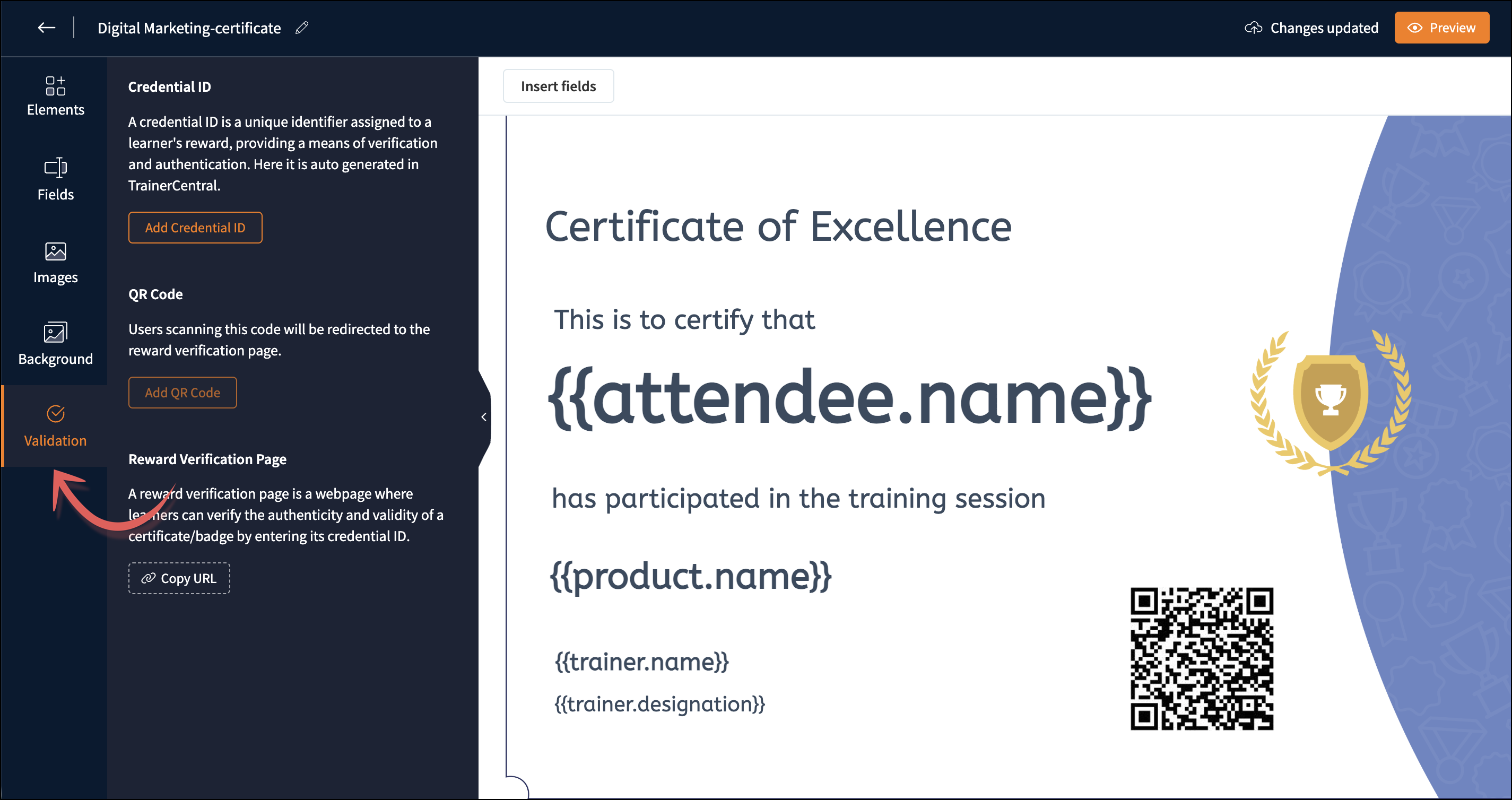
The certificate validator plays a pivotal role in validating the authenticity of learner certificates. There are two types of certificate validators in TrainerCentral’s certificate editor: Credential ID and QR code.
Credential ID
A credential ID is a unique identifier assigned to a learner's certificate. When a credential ID is added to the certificate, a link to the certificate verification page is also displayed at the bottom of the certificate. When any learner showcases the certificate in social media or any other document format, anyone can verify the authenticity of the certificate by navigating to the website and entering the credential ID.
QR code
You can also add a QR code to your learner's certificate. This helps people verify the certificate's authenticity through their mobile device. By scanning this code, they’ll be redirected to the Credential Verification page, where the learner's certificate will be displayed with all credentials, such as academy name, completed course name, and certificate issued date. In short, the certificate validator adds credibility and authenticity to learners’ certificates.
To learn more about the certificate validator, refer to this help article. You can view our previous Spotlight post here.
If you have any questions, ask us in the comments, and we'll be happy to help.
Stay tuned for more Spotlight posts from TrainerCentral!