TrainerCentral product updates: New UI, dynamic watermarking, sales reports, and more
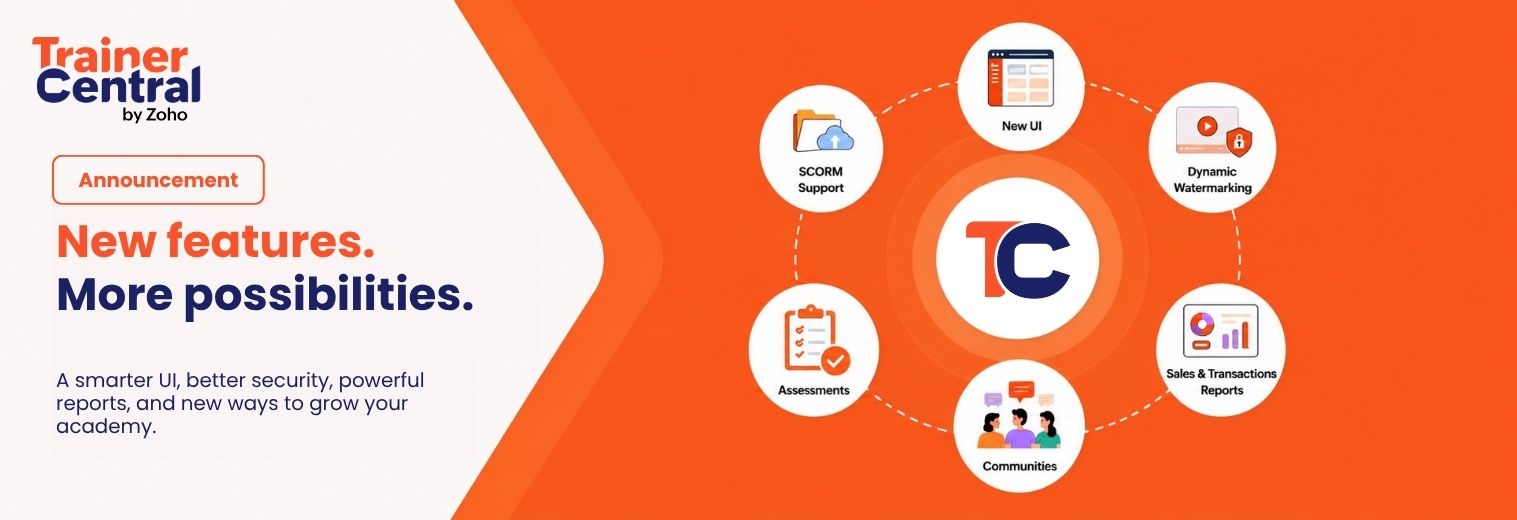
We’re excited to introduce a new set of enhancements designed to make TrainerCentral more intuitive, secure, and powerful than ever before.
This release brings a refreshed user interface with improved navigation, dynamic watermarking for videos and PDFs, redesigned sales orders and transactions reports to help you expand your academy’s online presence. Together, these updates are aimed at simplifying everyday tasks, improving content security, and giving you greater control over how you manage and grow your training business.
Let’s take a closer look at what’s new.
UI enhancements
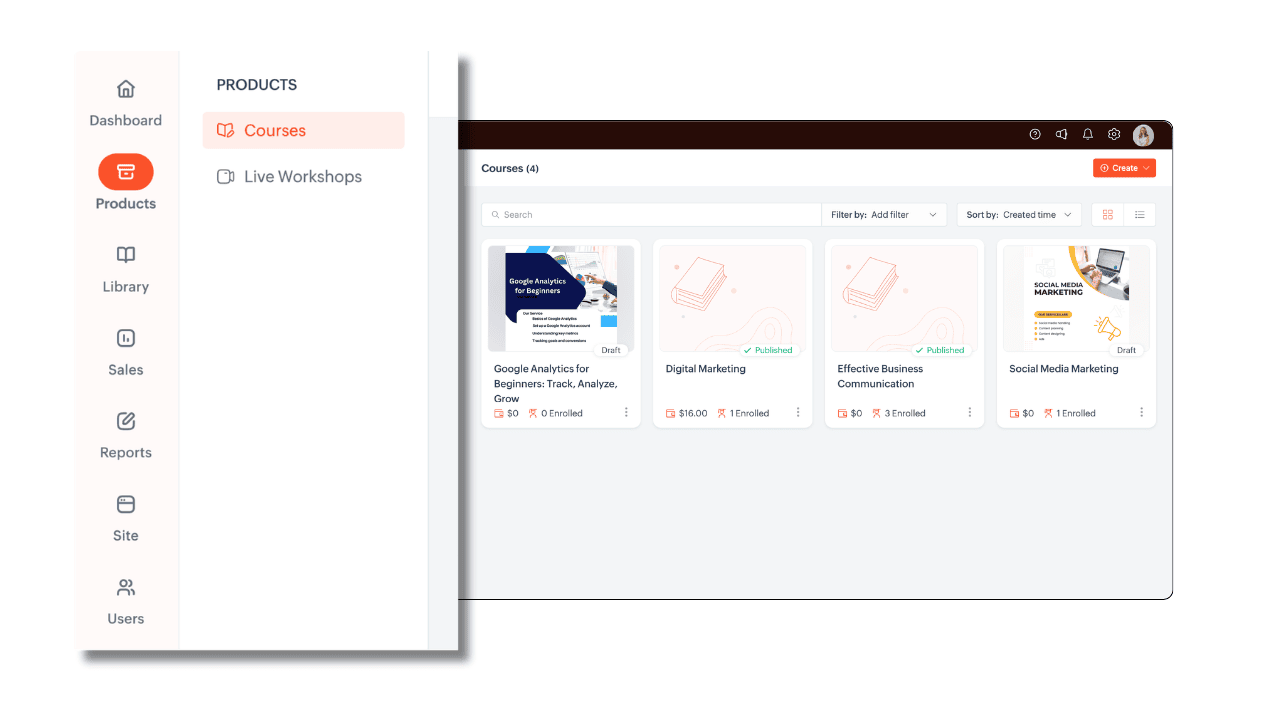
A smarter, scrollable sidebar
We’ve optimized the left sidebar to make navigation more seamless. Tabs are now displayed as a scrollable list within a unified sidebar, allowing you to move between sections quickly without switching menus or searching through multiple navigation layers.
Utility actions moved to the top-right corner
Frequently used utility options—including Notifications, Announcements, Settings, and User Profile—have been grouped together and relocated to the top-right corner of the screen for better visibility and easier access.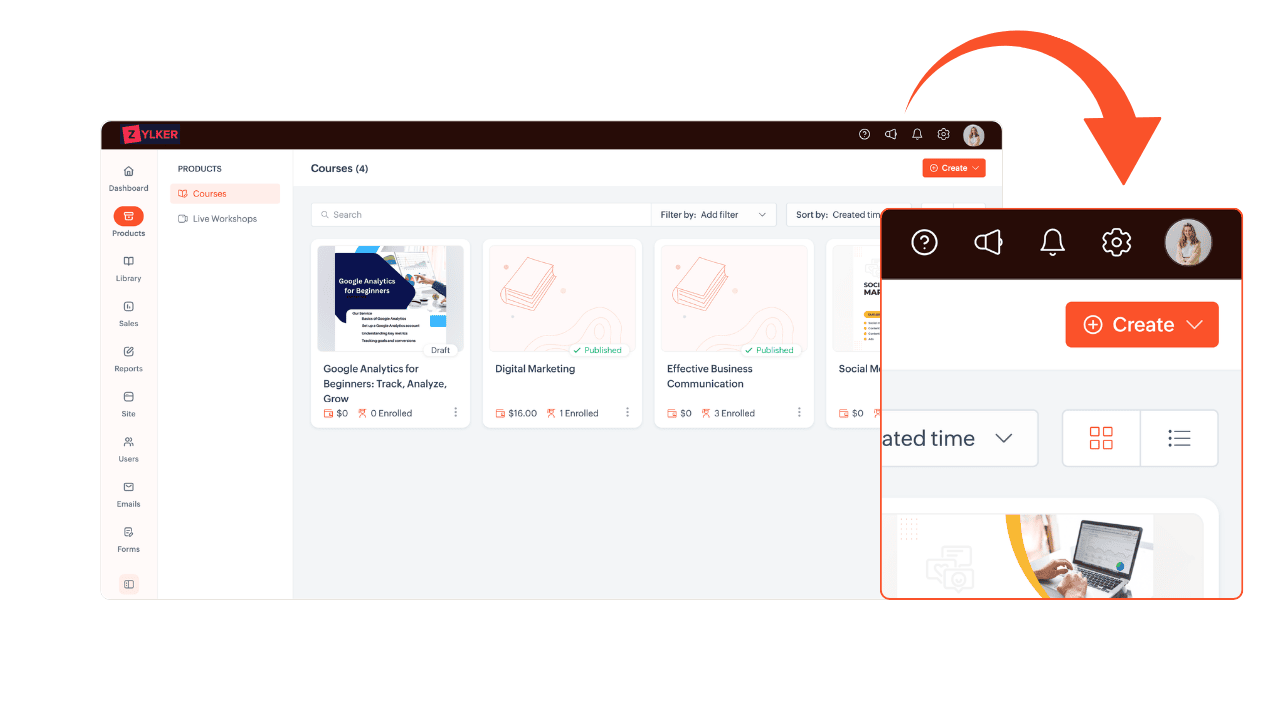
Help resources organized within user profile settings
Getting assistance is now more convenient than ever. We’ve consolidated support resources within your profile settings, giving you quick access to: Contact support, help articles, screen recorder, and webinars.
This centralized Help section makes it easier to connect with the TrainerCentral team and find the resources you need.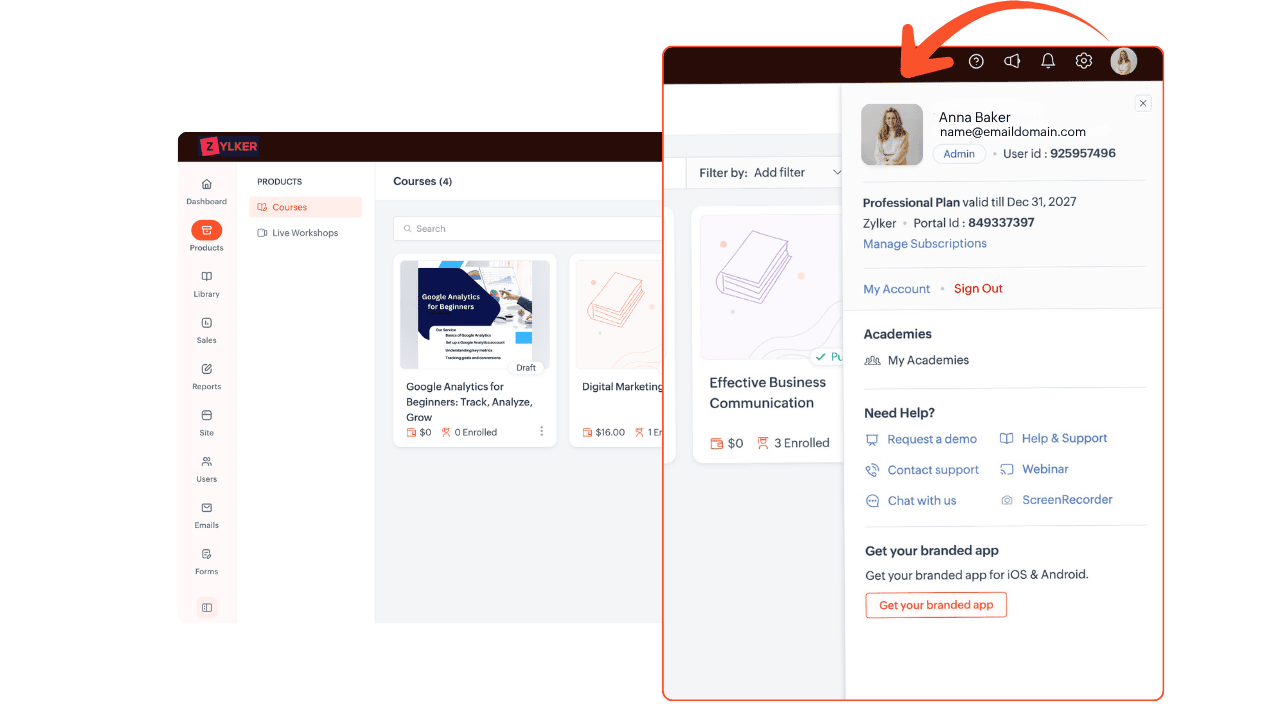
Revamped academy settings
We’ve redesigned the academy settings area to bring all important configuration options into a single, organized location. Settings related to configuration, integrations, authentication, and more are now easier to discover and manage.
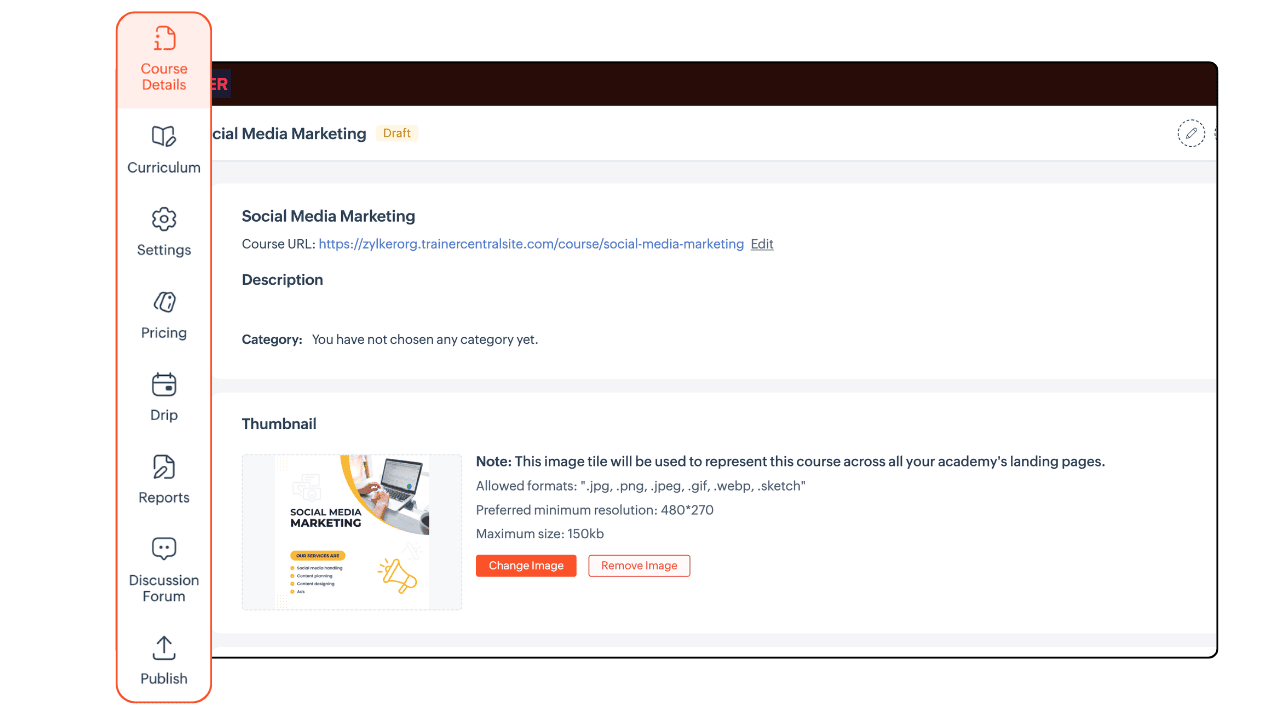
Tabs moved from the top bar to the sidebar
To improve discoverability and make switching between sections more intuitive, tabs such as Course Details, Curriculum, Settings, and other related sections have been moved from the top navigation bar into the left sidebar.
SCORM support
TrainerCentral now supports SCORM-compliant courses, making it easier to upload, manage, and deliver standardized learning content in your academy. Learn more.
With SCORM support, you can:
- Upload SCORM packages created using your preferred authoring tool.
- Deliver interactive learning experiences with quizzes, simulations, and multimedia.
- Track learner progress, including course completion, time spent, scores, and pass/fail status.
Note: TrainerCentral supports SCORM 2004 4th Edition.
Dynamic watermarking for videos and PDFs
Protecting your training content is essential, and we’re introducing Dynamic Watermarking to help you secure both video and PDF-based learning materials.
Whether you’re delivering engaging video lessons or sharing downloadable PDF resources, unauthorized access and distribution can compromise the time, effort, and expertise invested in creating your content. Dynamic watermarks help safeguard your intellectual property by displaying personalized information such as academy names, logos, and learner email addresses directly on the content. Learn more.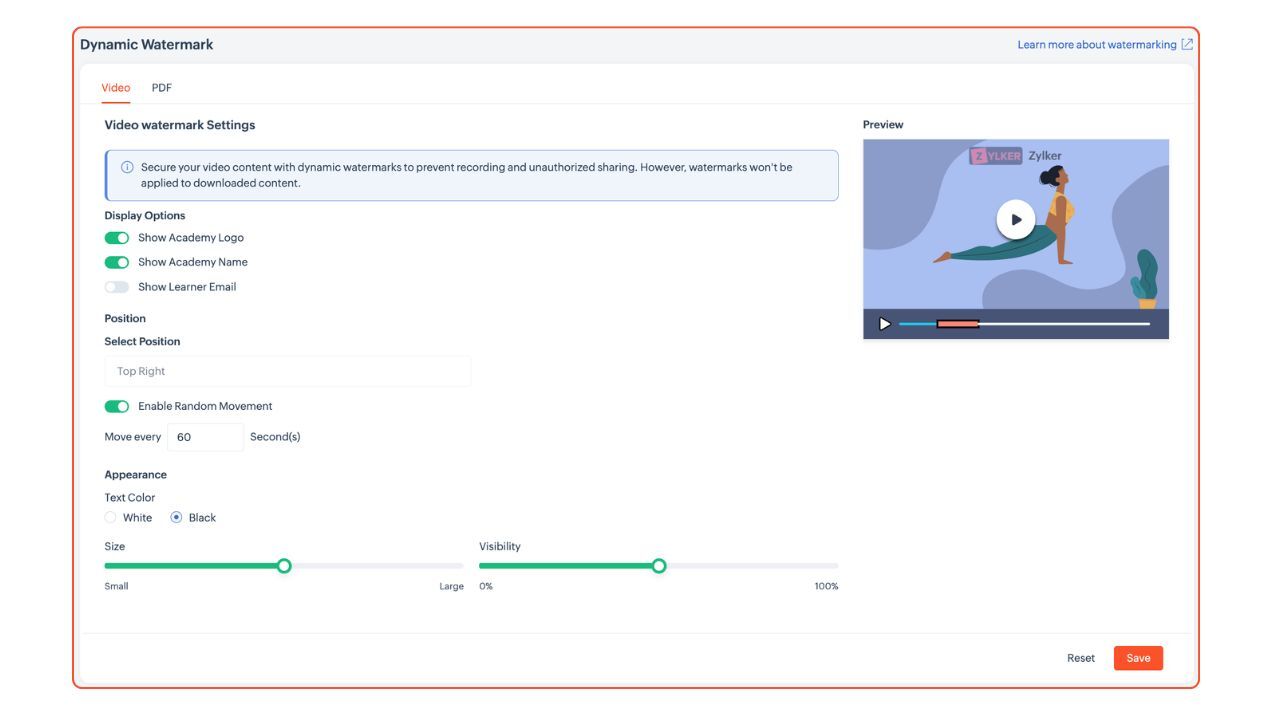
Introducing Community on TrainerCentral
Turn learners into long-term members with Community—a dedicated space within your academy where learners can connect, share ideas, and continue learning beyond individual courses.
Create a single community and organize conversations into multiple spaces based on topics, learner groups, or access levels. Whether you're building a free learning network or a premium member community, Communities helps you keep learners engaged long after they've completed a course. Learn more
What's new?
- Create an academy-wide community with multiple organized spaces.
- Add one time payment or free tickets to your community.
- Automatically enroll learners into default spaces while allowing them to explore others.
- Invite anyone to join your community using a shareable community link, even if they aren't enrolled in a course.
Communities helps you build a thriving learning ecosystem where conversations, collaboration, and engagement continue beyond the classroom.
Introducing standalone assessments on TrainerCentral
We’re introducing Assessments—a dedicated way to create and sell tests as independent products, without attaching them to a course.
Whether you’re conducting certification exams, placement tests, skill assessments, or practice quizzes, Assessments give you a focused space to evaluate learners and manage everything from registrations and pricing to certificates and rewards all from one place.
What’s new?
- Create standalone assessments that function as independent products.
- Sell assessments as free or paid offerings without course enrollment.
- Manage registrations, pricing, certificates, and rewards in one place.
- Reuse questions across assessments using the Question Bank.
- Assess learners before, during, or after training—on their terms.
Whether you’re a certification body, a training institute, or a course creator looking to expand your offerings, Assessments give you a new way to reach and evaluate learners beyond the course. Learn more.
New sales and transactions reports
We’re introducing redesigned sales orders and transactions reports to help you gain better visibility into your academy’s purchases, revenue, and payment activities.
The new reports make it easier to track learner purchases and transaction history from a centralized location, giving you a clear overview of how your academy is performing.
What’s new?
- Monitor learner purchase orders and transaction records with dedicated reports.
- Gain deeper insights into your academy’s revenue and payment activity.
- Access detailed order and transaction information through an enhanced inner view.
- Create custom views tailored to your reporting needs.
- Save preferred filters and column layouts for future use.
- Share custom views with other admins to streamline collaboration.
Whether you’re reviewing individual purchases, tracking transaction statuses, or analyzing revenue trends, the new sales orders and transactions reports provide a more organized and efficient reporting experience. Learn more. 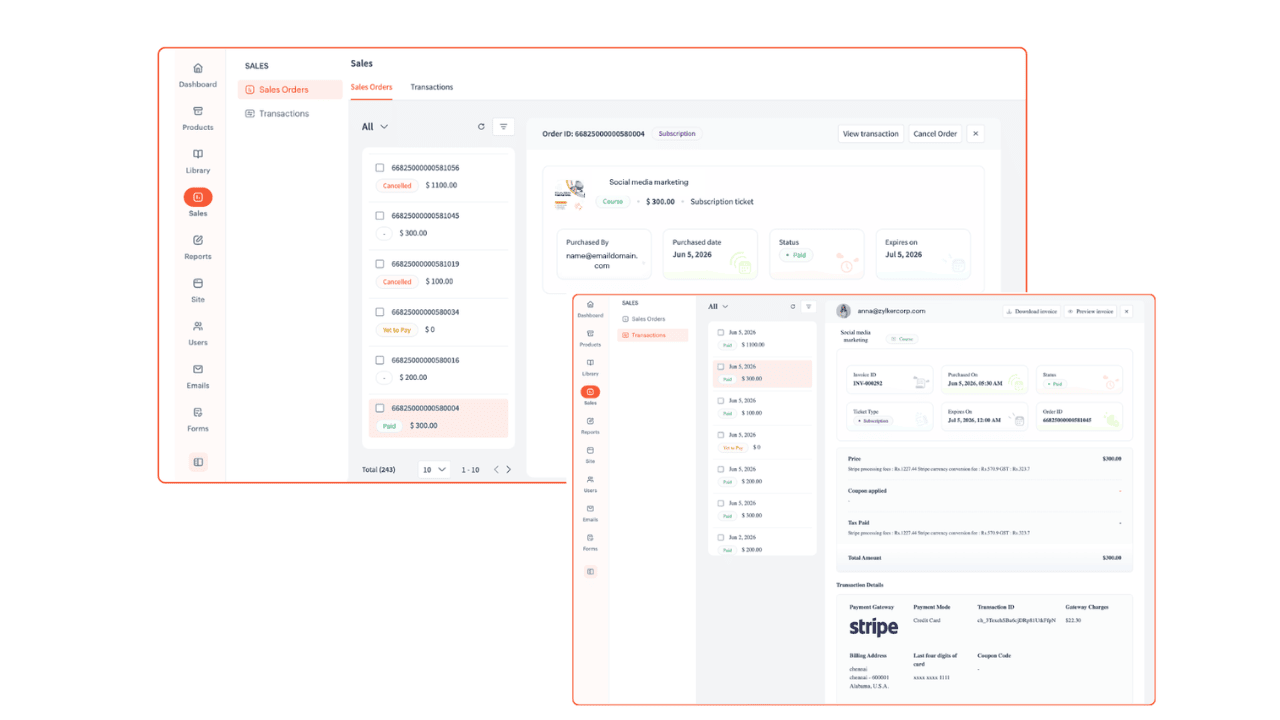
Desktop Apps for Windows and macOS
A cleaner and more efficient experience
Take a look around the new UI and let us know what you think in the comments below. We’d love to hear your feedback!
If you have any questions, ask us in the comments or write to us at support@trainercentral.com, and we'll be happy to help.